


Managing driver qualification files can be burdensome — the more you grow, the bigger the burden can become. Creating and maintaining these files makes a common occurrence, such as hiring a new driver, a time-consuming process.
Learn what’s required in a driver qualification file and how to use Motive Workforce Management to improve your workflow.
This content is for educational purposes only and does not constitute legal advice. We strongly recommend consulting with a qualified compliance expert or legal counsel before making business decisions based on this content.
What is a driver qualification file?
A driver qualification file is a set of documents required by the FMCSA that show a driver is qualified to safely operate a commercial motor vehicle.
FMCSA regulations require that motor carriers hold drivers to specific standards — ensuring that a driver is physically, legally, and professionally qualified to drive. The documentation proving the driver meets those standards goes into a file and becomes a driver qualification file.
Keep in mind that what goes into a driver qualification file is different from the complete driver qualification requirements.
Required documents in a driver qualification file in 2026
The documents required for each driver’s qualification file are listed below. Many of these documents should be retained for as long as you employ that driver, and for three years after that.
- Application for employment. The driver’s employment application — an application meeting the FMCSA’s requirements — needs to be in the file.
- Motor Vehicle Record (MVR). When hiring a driver, you need to get and store a copy of the MVR received from each driver’s licensing authority for the past three years. Every 12 months, you need to re-request and store MVRs from each driver’s licensing authority; verify that they’re still qualified; and include a dated and signed note that it was reviewed.
- Safe driving history records. When hiring a driver, you need to contact each driver’s previous employers from the past three years and get their safety performance history. The driver qualification file needs to have a secure, limited access section that includes a record of the request and any response and related documentation.
- Road test certificate. With non-CDL drivers, you must conduct a road test and keep the signed certificate and rating form in the driver qualification file. CDL drivers can provide a copy of their CDL for the file instead.
- Medical examination record for non-CDL drivers operating commercial motor vehicles. You need a current medical examiner’s certificate (a med card) in the driver qualification file, along with documentation verifying that the medical examiner is listed on the FMCSA’s National Registry of Certified Medical Examiners.
- Medical examination record for CDL drivers. You must verify medical certification status by obtaining and reviewing the driver’s MVR, which displays their current medical certification information. Your annual MVR review should confirm the driver’s medical certification remains valid and matches their self-certification category. Note: This is a new process under the National Registry II system. Carriers no longer need to collect paper med cards from CDL holders. Medical examiners now electronically transmit examination results directly to FMCSA, which then transmits the information to state driver licensing agencies.
Who needs medical certification? Medical certification requirements apply to drivers operating a commercial motor vehicle (CMV) in interstate commerce. Under FMCSA regulations, a CMV includes any vehicle that:
- Has a gross vehicle weight rating or gross combination weight rating of 10,001 lbs or more
- Is designed or used to transport more than 8 passengers (including the driver) for compensation
- Is designed or used to transport more than 15 passengers (including the driver) without compensation
- Transports hazardous materials in quantities requiring placarding
There are situations where you will need to complete additional procedures and add other documents to the driver qualification file. These situations may include:
- When a CDL driver has a past drug/alcohol violation (admitted or found in the Drug and Alcohol Clearinghouse)
- When a driver has a medical waiver
- When a driver needs to operate a longer combination vehicle
- When a driver has multiple employers
- When a driver has a physical impairment
Driver qualification file checklist
The checklist below shows which documents the FMCSA requires in a typical driver qualification file in 2026.
✅ | Driver Qualification File Required documents | Frequency | Retention rule |
| Application for employment. | When hired | Duration of employment plus 3 years | |
| Copy of the MVR from each driver’s licensing authority for the past three years | Within 30 days of hire | Duration of employment plus 3 years | |
| Certificate of driver’s road test or other equivalent | When hired | Duration of employment plus 3 years | |
| Safe driving records and related responses and documentation | Within 30 days of hire | Duration of employment plus 3 years | |
| Updated copy of each driver’s MVR, along with a dated and signed note confirming the driver is still qualified from the person doing the annual review | Every 12 months | Can be removed 3 years from the execution date | |
| Medical examination certificate for every non-CDL driver, along with a note verifying that the medical examiner is on the national registry | When hired and when driver has a new medical exam | Can be removed 3 years from the exam date | |
| Verify medical certification status for CDL drivers by obtaining and reviewing the driver’s MVR | When hired, annually, and when driver has a new medical exam | Duration of employment plus 3 years |
*You must store these records in a secure, limited-access driver investigation history file.
Tips for easier driver qualification file management
Keeping up with driver qualification file requirements isn’t easy. Managing the process manually or on paper leads to missed deadlines and errors — which jeopardizes compliance.
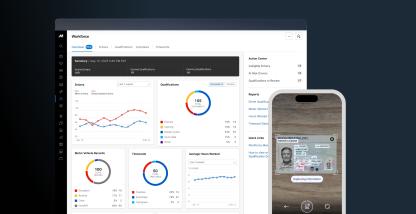
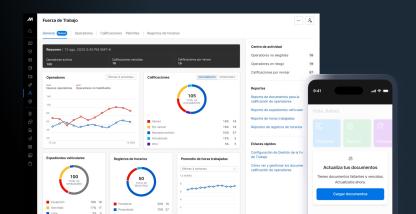
With Motive’s driver qualification file management features, you can save time and stay compliant in real time.
- Digitize document capture. AI Document Capture scans, extracts key details, and updates driver qualification files.
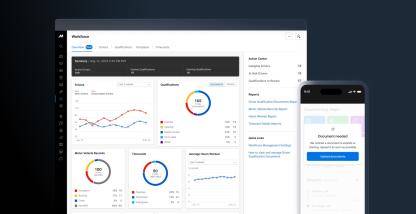
- Use automation to stay ahead of expirations. Motive’s driver qualification status performs daily checks, flags expired and expiring documents like driver licenses, and helps managers quickly find non-compliant files.
- Integrate MVR requests. Initiate and manage MVR requests for any driver from the Motive Dashboard, and rely on expiration alerts to minimize liability.
- Block unqualified drivers. Prevent unqualified drivers from operating vehicles when documents are missing or expired.
With Motive, you can avoid compliance violations ahead of time rather than catching them after the fact.
Use Motive to manage driver qualification files with ease
Don’t let driver qualification file management bog down your growth. Instead, use Motive to streamline compliance — save time, automate work, and reduce errors.
We moved to Motive’s Driver Qualification from JJ Keller because it was easier to use and way more reliable. It was quick and simple to set up our documents, and getting insights into upcoming expirations takes just a few seconds. This gives us the peace of mind we need to stay on top of our required documents.